How Digital Workplace Solutions Make Microsoft 365 Migration Less Risky
Moving to Microsoft 365 can look simple on paper. Many businesses hesitate because they know what is sitting behind that “Move” button: years of emails, documents, user accounts, permissions, workflows, and business-critical data.
That hesitation is understandable. A poorly planned migration can create downtime, disrupt employees, or leave important data behind. But staying with an outdated platform has its own risks, from rising maintenance costs to limited collaboration and security capabilities.
This is where the right digital workplace solutions make a difference. With a clear migration strategy, the right tools, and careful planning, businesses can move to Microsoft 365 with fewer surprises and less disruption.
In this guide, we’ll look at what makes a Microsoft 365 migration risky, how digital workplace solutions can reduce those risks, and what businesses should consider before making the move.
Why Businesses Feel Stuck on Exchange and Google Workspace
We’ve worked with two clients who felt exactly that way. One was running Exchange and wanted to get to Microsoft 365. The other was on Google Workspace (formerly G Suite) and wanted to make the same move. The conversations were almost identical.
Neither client was worried about the technology. Their real concerns looked like this:
- Mailboxes that predated half their staff
- Shared folders whose permissions nobody fully understood anymore
- Licensing questions, including how to avoid paying for two platforms longer than necessary
- How everyone would find their files on the first Monday
- Who would help the person who has lived in Gmail for as long as they can remember
The biggest questions, though, were about people.
Why O365 Migration Services Need More Than Good Tools
We made both migrations happen, on the timelines we committed to, and nobody lost their data. Good tooling matters, but everyone in this business has it. If tools were the whole answer, nobody would feel trapped in the first place. That is why the best o365 migration services focus on planning and communication as much as software.
What a Microsoft 365 Migration Plan Should Include
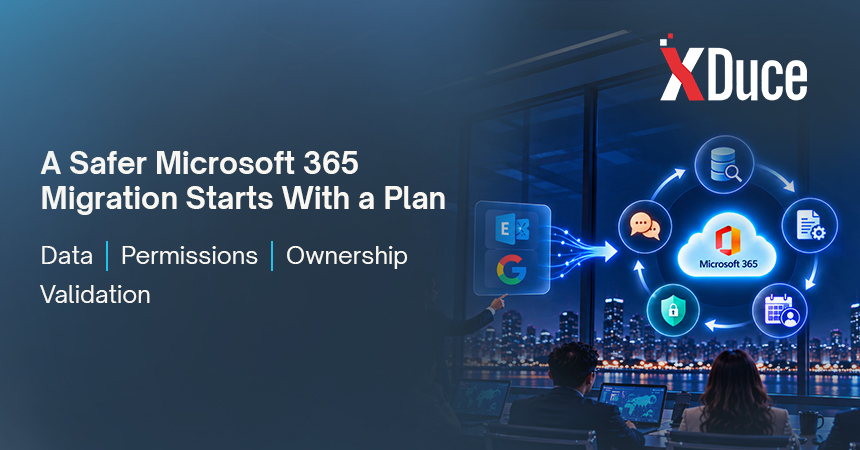
- An honest picture of your data. It starts with an honest picture of where the data really lives and who depends on it. That’s where the surprises tend to be, like a shared mailbox half the company uses without realizing it’s shared, or a folder still owned by someone who left years ago.
- A permissions clean-up. With AI assistants like Copilot able to surface anything a user has access to, a migration is the right moment to clean up who can see what.
- A real plan. We build a plan with real dates and a named owner for every decision.
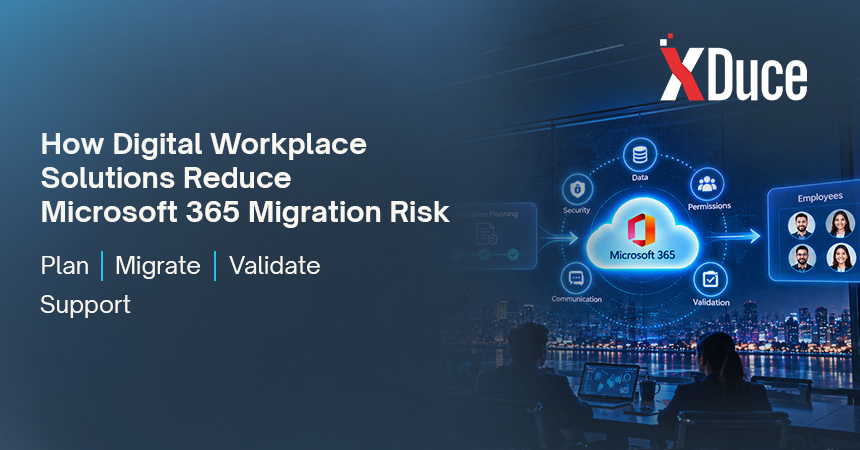
- Proof, not hope. Once data starts moving, we compare what left the old platform with what landed in the new one, so “we think everything came over” never has to stand in for “we know it did.”
What Changes When Migrating From Google Workspace to Microsoft 365
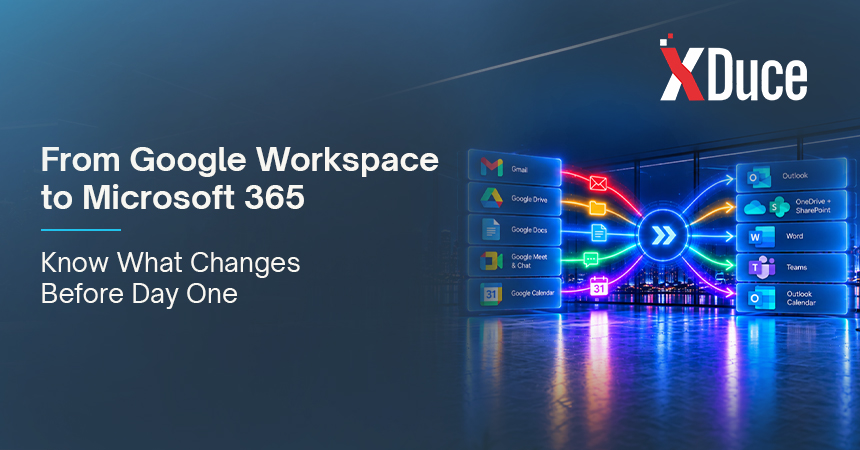
Moving off Google has its own quirks. None of it is hard if you know it’s coming. Gmail labels become Outlook folders, and Google Docs have to be converted into Office files, but that is only part of the picture. Almost every Google tool has a Microsoft 365 counterpart, and each one behaves a little differently for the people using it every day.
The table below shows what moves where and what to plan for. Getting this map right early is a big part of good Microsoft 365 implementation services, because it tells you where staff will need guidance on day one.
| Google Workspace | Microsoft 365 | What to Plan For |
|---|---|---|
| Gmail | Exchange Online and Outlook | Gmail labels become Outlook folders. People move from labels and threaded conversations to folders and a different inbox layout, so a short walkthrough helps. |
| Google Calendar | Outlook Calendar | Meeting invites, shared calendars, and room bookings need to be mapped and tested, including recurring events. |
| Google Drive | OneDrive and SharePoint Online | Personal files move to OneDrive. Shared drives map to SharePoint sites or Teams. Sharing permissions should be reviewed, not just copied over. |
| Google Docs, Sheets, and Slides | Word, Excel, and PowerPoint | Google Docs have to be converted into Office files. Check formatting, formulas, and comments on your most important files. |
| Google Meet and Chat | Microsoft Teams | Meetings and chat move into one app. Staff need to learn how teams, channels, and chats differ. |
| Google Groups and shared inboxes | Microsoft 365 Groups, distribution lists, and shared mailboxes | Find every group address and shared inbox before cutover, including the ones half the company uses without realizing they are shared. |
| Admin console and sharing settings | Microsoft 365 admin center and Entra ID | Rebuild access rules deliberately, and confirm licensing so you are not paying for two platforms longer than necessary. |
A few habits make this part of the move much smoother:
- Ask your pilot group to test the tools they use most, such as calendar sharing and shared inboxes, before everyone else moves.
- Tell staff in plain language what will look different on the first Monday, for example folders instead of labels.
- Schedule the cutover away from month-end close and other busy periods.
Why Digital Workplace Consulting Starts With People
When a migration is over, nobody remembers the tooling. They remember whether they knew what was going on, and whether anyone asked them.
It helps to remember what you are really moving. A mailbox isn’t just data to the person who owns it. It’s years of client conversations, organized in a way that lets them find what they need under pressure without thinking about it. When you tell someone all of that is about to change, the natural reaction is worry, even if they never say it out loud. Most migration pushback isn’t really about Outlook or OneDrive. It’s about people being afraid something important will get lost and nobody will notice until it’s too late.
How to Keep Employees Informed During a Microsoft 365 Migration
- Talk early. We start talking to people well before anything moves.
- Leaders first. Leadership hears the plan first, and then we help them explain the why to their teams in plain language. People handle change much better when they understand the reason for it, and when the message comes from their own leaders instead of an IT notice they skim and delete.
- Specific guidance. Staff get specific information about what changes for them and what, if anything, they need to do.
- Smart timing. Nobody wants a cutover announcement landing in the middle of month-end close or the busiest week of their year.
- A pilot group first. It matters as much for communication as it does for the technical side. Those early users tell us where they got confused and what worried them, and that feedback shapes the training and messages everyone else receives. They often become the go-to people in their departments afterward, which gives their coworkers someone familiar to ask.
- Training built in. Training is built in from the start rather than added once complaints roll in. After cutover we stay close, because that’s when the real questions surface.
What Modern Workplace Solutions Look Like After You Migrate
A clean move to Microsoft 365 is rarely the finish line. Once email, files, and permissions are in good shape, teams can look at modern workplace solutions that build on that foundation, such as better collaboration, stronger access control, and tools that help people find information faster. Many organizations also hand day-to-day support to a managed digital workplace service so employees always have somewhere to turn.
For many organizations, this is where digital workplace transformation really begins. Some also connect their new workplace to business systems through dynamics 365 consulting services, so sales, finance, and operations data sits alongside the tools people already use every day.
Do You Need a Microsoft 365 Consultant for Your Migration?
Not every organization needs a partner for this. If your environment is small and someone on your team has done this exact migration before, you can probably handle it yourselves. If not, it’s worth bringing in people who have been through it many times. A Microsoft 365 consultant (sometimes listed as a Microsoft Office 365 consultant) brings the pattern recognition that only comes from repeating the work.
A quick way to decide:
- You can likely go solo if your environment is small and someone on your team has already done this exact migration.
- Bring in a partner if you have years of data, unclear permissions, licensing overlap, or a team that will need real training and communication support.
Feeling trapped is usually a signal that the migration and effort are bigger than expected. If that sounds familiar, reach out to us. We’ll walk through it with you and be honest about where additional expertise is needed. Our digital workplace consulting team can help you move from feeling stuck to knowing exactly what happens next.
Microsoft 365 Migration FAQs
Digital workplace solutions bring your email, files, chat, meetings, and business apps into one connected environment so people can work from anywhere with the same access and the same security. Microsoft 365 is the foundation for many of them.
It depends on how much data you have, how many users are moving, and how tangled your permissions are. Small environments can move in a few weeks. Larger ones need a phased plan with a pilot group first.
Not always. If your environment is small and someone on your team has done this exact migration before, you can probably handle it yourselves. If not, a Microsoft 365 consultant who has done it many times can save you from surprises.
You should not. A structured migration compares what left the old platform with what landed in the new one. Gmail labels become Outlook folders, and Google Docs are converted into Office files.
Many organizations use the move as the first step of wider digital workplace transformation, such as better collaboration, tighter access control, and connecting business systems through Dynamics 365.

Related Blogs