Introduction
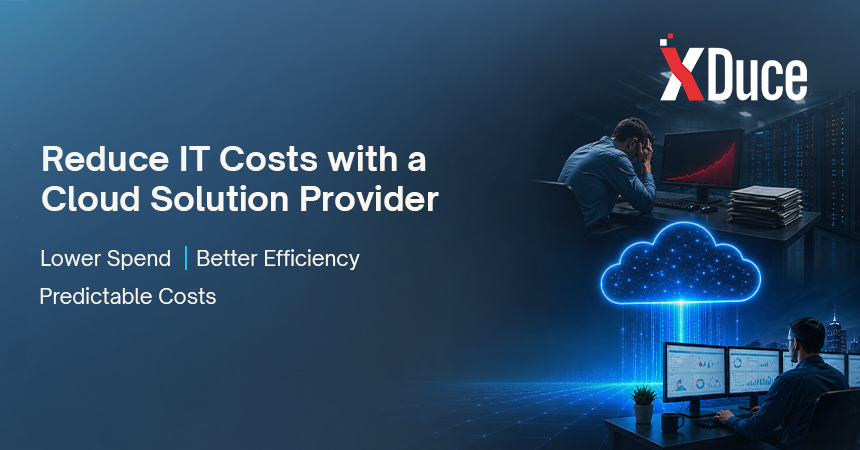
IT budgets rarely go down on their own. Servers age, licenses renew at higher rates, and staffing costs climb every year, often without a matching increase in output. A cloud solution provider does not just move your infrastructure somewhere else. Done right, it changes the underlying cost structure of how your business runs technology.
The tricky part is that most of the savings do not show up in one obvious place. They come from a combination of eliminated hardware spend, reduced staffing overhead, fewer costly outages, and smarter resource management, spread across the whole IT budget rather than concentrated in a single line item.
Here is a breakdown of where those savings actually come from, and how to think about ROI before you commit to a provider.
The Hidden Costs of Managing IT In-House
On-premises infrastructure carries costs that rarely show up in a single line item:
- Hardware that needs replacing every few years
- Power, cooling, and physical security for data center space
- Specialist salaries and ongoing training to keep pace with new platforms and threats
- Emergency response, since something breaking at 2 a.m. still means someone is getting a call
- Idle capacity, paying for peak-load hardware that sits underused most of the year
On-Premises IT vs. a Cloud Solution Provider: Where the Money Goes
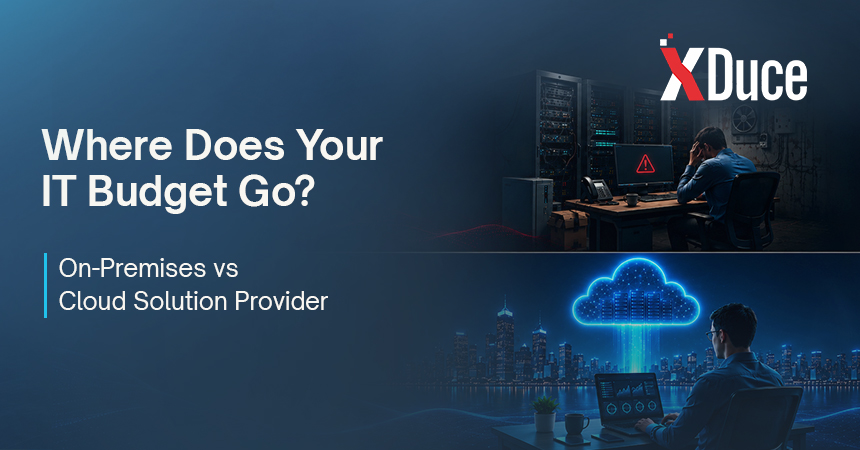
Laying the two models side by side makes the cost shift easier to see:
| Cost Category | On-Premises IT | Cloud Solution Provider |
|---|---|---|
| Hardware | Large upfront capital expense every few years | Included in the service, no capital outlay |
| Staffing | Multiple specialist salaries and benefits | Bundled into the provider’s fee |
| Scaling for demand | Buy for peak load, most sits idle | Pay for what you use, scales automatically |
| Downtime cost | Absorbed entirely by the business | Reduced through proactive monitoring and SLAs |
How Cloud Solution Providers Cut Infrastructure Costs
Moving to the cloud eliminates most hardware capital expenses, replacing them with usage-based operating costs. A cloud services provider also brings volume pricing and platform expertise that most individual businesses cannot negotiate on their own, and rightsizes resources so you are not paying for capacity that sits idle most of the year.
Rightsizing alone tends to be one of the biggest quick wins. It is common for businesses to discover, once a provider audits the environment, that they have been paying for compute or storage capacity two to three times larger than what their actual workloads need.
Managed Cloud Services and Predictable Spending
One of the most underrated cost benefits is predictability. Managed cloud services typically come with a fixed or tiered monthly fee, which makes budgeting far easier than the unpredictable spikes that come with in-house infrastructure failures, emergency hires, or surprise licensing renewals.
Predictability also changes how finance teams plan. Instead of setting aside a vague contingency budget for IT emergencies, businesses can forecast technology spending with the same confidence they apply to rent or payroll.
For example, a business that previously saw its IT bill swing from around $2,000 in a quiet month to $15,000 the month a server failed can move to a flat monthly managed services fee instead, say $4,000 a month, and know exactly what next year’s IT budget looks like before the fiscal year even starts, rather than padding it with guesswork for emergencies that may or may not happen.
Reducing Costs Through Application Modernization
Legacy applications are often the quiet budget killer, requiring specialized maintenance and running inefficiently on modern infrastructure. Application modernization restructures these systems so they run leaner in the cloud, cutting compute costs while also reducing the maintenance burden on internal staff.
There is also a talent cost tied up in old systems. Specialists who know legacy platforms are increasingly rare and expensive to retain. Modernizing onto current, widely supported technology reduces that dependency on hard-to-find expertise.
For example, a retailer running a fifteen-year-old inventory system built for on-premises servers might be paying for extra compute capacity just to compensate for inefficient code, on top of a shrinking pool of engineers who still know the platform well enough to maintain it. Rebuilding that system as a modern, cloud-native application often cuts the compute bill meaningfully while removing the dependency on hard-to-find legacy specialists altogether.
Backup and Disaster Recovery Without the Overhead
Building an in-house backup and disaster recovery service from scratch is expensive, requiring redundant infrastructure that sits unused until disaster strikes. A cloud solution provider spreads that cost across many clients, so you get enterprise-grade recovery capability without paying for a dedicated failover environment of your own.
Here is what that actually looks like in practice: say a mid-sized business wants protection against a regional outage, a scenario where its primary data center goes down for hours or days. Building that protection alone would mean leasing space in a second physical location, buying and maintaining duplicate servers, and paying staff to keep an environment running that, if things go well, never actually gets used. Most businesses cannot justify that cost for a scenario they hope never happens.
A cloud solution provider solves this differently. Because the same shared, geographically distributed infrastructure already exists to serve many clients at once, the business gets the same level of redundancy and the same fast recovery time, but pays only a fraction of what a dedicated backup site would cost, since that infrastructure is shared rather than sitting idle and dedicated to one company alone.
Quick Wins vs. Long-Term Savings
Not all savings show up on the same timeline. It helps to separate what pays off immediately from what compounds over time:
| Timeframe | Where the Savings Come From |
|---|---|
| Immediate | Eliminated hardware purchases and reduced idle capacity |
| 3 to 6 months | Rightsized resources and consolidated licensing |
| 6 to 12 months | Reduced downtime and fewer emergency support incidents |
| 12 months and beyond | Avoided specialist hiring and lower long-term maintenance burden |
Industries Seeing the Biggest Cost Savings
While every business benefits differently, a few sectors tend to see outsized savings from moving to a cloud solution provider:
- Retail and e-commerce, where elastic scaling avoids paying for peak-season capacity year-round
- Professional services firms, where remote access needs are high but internal IT teams are traditionally small
- Manufacturing, where legacy on-premises systems are expensive to maintain and slow to modernize internally
- Healthcare organizations, where compliance-driven redundancy is expensive to build in-house but shared efficiently across a provider’s client base
Licensing Consolidation as a Hidden Savings Source
Businesses running infrastructure in-house often accumulate a patchwork of licenses over the years, some overlapping, some barely used, and many renewed automatically without a real review. A cloud solution provider typically audits this during onboarding and consolidates redundant tools into a smaller, better-managed stack.
This is rarely the headline reason businesses switch, but it often shows up as a meaningful line item once the provider’s first cost review comes back.
Cost Benefits Differ for Small Businesses vs. Enterprises
Cloud services for small business tend to produce the most dramatic percentage savings, since small teams avoid hiring specialists altogether. Cloud services for enterprises save differently, mostly through economies of scale, resource optimization across large environments, and reduced downtime, which carries a much higher cost at enterprise scale.
For example, a ten-person company might cut its effective IT costs by half simply by avoiding a single full-time specialist hire it would otherwise have needed. A thousand-person enterprise sees savings play out differently: a two percent improvement in resource utilization across thousands of servers adds up to a meaningful dollar figure, even though the percentage change looks small compared to the small business’s more dramatic cut.
What Downtime Actually Costs
Downtime rarely gets its own line item in an IT budget, which is exactly why it is so easy to underestimate. A single outage touches more than just lost sales:
- Lost revenue during the outage window itself
- Staff hours spent diagnosing and fixing the problem instead of doing their normal jobs
- Customer trust and support tickets in the days that follow
- Potential contractual penalties if the outage affects an SLA with your own clients
- The cost of the emergency fix itself, which is almost always higher than planned maintenance
Providers that build proactive monitoring into managed cloud services aim to catch problems before they become full outages, which is where a meaningful share of the cost savings actually comes from.
Putting It All Together
None of these savings categories work in isolation. Rightsized infrastructure lowers the baseline bill. Managed cloud services replace unpredictable emergency spending with a flat, forecastable fee. Application modernization reduces both compute costs and the ongoing maintenance burden. Backup and disaster recovery moves from a large fixed investment to a shared, scalable cost. Taken together, the combined effect is usually larger than businesses expect when they only look at one line item, like hosting fees, in isolation.
How Much Can a Business Realistically Expect to Save
There is no single percentage that applies to every business, since savings depend on how inefficient the current setup is to begin with. A company running significantly over-provisioned, aging hardware tends to see the largest and fastest gains, while a business that already runs lean on-premises infrastructure may see more modest, longer-term savings concentrated in reduced downtime and avoided hiring.
The most reliable way to estimate your own number is not to look at industry averages, but to run the ROI calculation below against your actual current spending.
Common Mistakes When Calculating ROI
Businesses often undersell their own savings by leaving key costs out of the comparison:
- Comparing only the provider’s monthly fee against current hardware costs, ignoring staffing
- Forgetting to value the cost of past downtime and outages
- Leaving out the opportunity cost of staff time spent on maintenance instead of strategic work
- Failing to account for licensing consolidation once legacy systems are modernized
How to Calculate the Real ROI
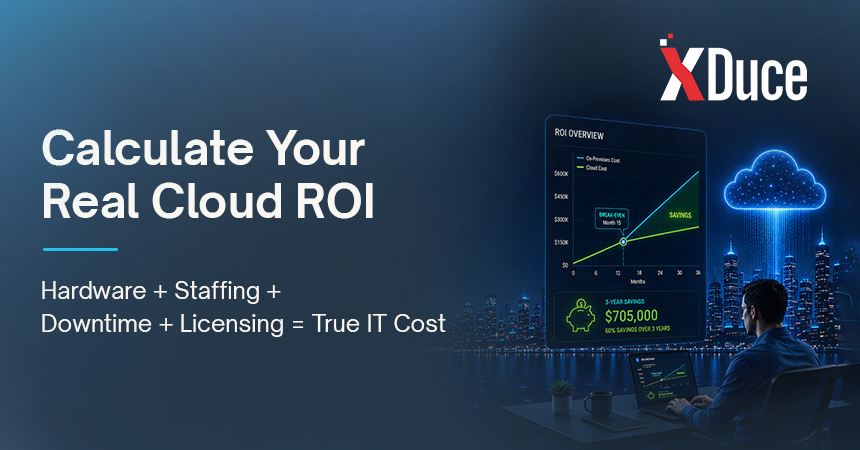
A fair ROI comparison has to include everything, not just the provider’s invoice:
- Add up current hardware depreciation and licensing costs
- Include staff salaries dedicated to infrastructure and maintenance
- Estimate the cost of past downtime incidents, including lost productivity
- Compare that total against the provider’s proposed monthly cost plus any one-time migration fees
- Recalculate the break-even point once indirect costs like downtime and staff time are counted honestly
Most businesses find the break-even point arrives faster than expected once these indirect costs are counted honestly.
Where Cost Savings Tend to Plateau
It is worth being realistic that savings are not unlimited. Once infrastructure is rightsized, backups are consolidated, and legacy systems are modernized, the rate of new savings naturally slows. At that point, the value shifts from cost-cutting to cost avoidance: preventing the slow creep of unused resources, outdated licenses, and duplicate tools that tends to happen without ongoing oversight.
Signs Your Current Spending Has Room to Shrink
A few patterns tend to show up in businesses that still have meaningful savings on the table:
- Nobody can say with confidence what percentage of current cloud or server capacity is actually being used
- IT invoices have grown steadily over the past year without a clear explanation why
- The business is still paying for licenses tied to applications nobody uses anymore
- There is no single person or team accountable for reviewing infrastructure costs regularly
Making the Switch Without Disrupting the Budget
Migrating to a cloud solution provider is not free, and it is worth planning for the one-time costs alongside the ongoing savings. Most engagements involve a migration fee that covers assessment, planning, and the actual move of data and applications. Businesses that budget for this upfront cost separately from the ongoing monthly savings tend to have a much clearer, more accurate picture of when the investment actually pays for itself, rather than expecting savings to appear from month one.
Frequently Asked Questions
Savings vary by business, but they typically come from reduced hardware spending, lower staffing overhead, and fewer costly downtime incidents rather than a single fixed percentage.
Usually not, once you account for the full cost of in-house infrastructure, including hardware, licensing, and specialist salaries.
For most legacy systems, yes. The upfront investment is typically recovered through lower compute costs and reduced maintenance over time.
Outsourcing backup and disaster recovery to a provider is generally far cheaper than building redundant infrastructure in-house, since the cost is shared across the provider’s client base.
Yes. Cloud solutions for small businesses tend to save the most by avoiding specialist hires altogether, while enterprises save more through scale and reduced downtime costs.
Some savings, like eliminated hardware purchases, are immediate. Others, like avoided specialist hiring and reduced downtime, tend to compound over the first six to twelve months.
Comparing only the provider’s monthly fee against current hardware costs, while leaving out staffing overhead, downtime costs, and lost productivity from an incomplete ROI calculation.

Related Blogs