 A checklist tells you what to do. A strategy tells you why, in what order, and what you are willing to trade off. Without one, an Entra ID migration turns into a series of disconnected tasks: a sync tool installed here, a policy enabled there, a handful of devices joined on a Friday. Each piece works, and the whole thing still feels fragile.
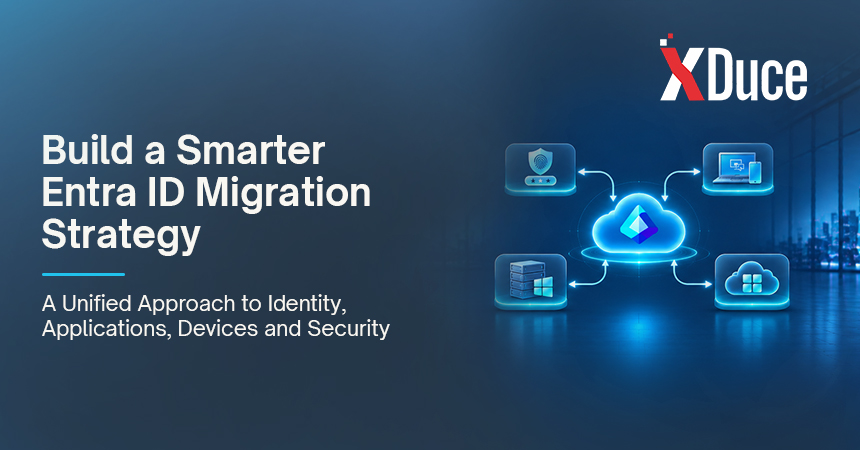
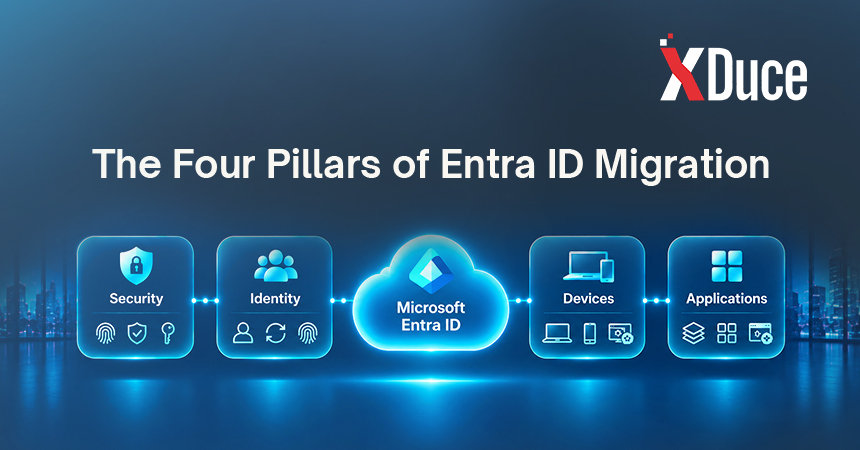
This article lays out a strategy for Entra ID migration across the four areas that decide whether it succeeds: identity, applications, devices, and security. If you want the task by task walkthrough, our Active Directory to Entra ID migration guide covers it, and our Entra ID migration checklist turns this strategy into 15 actionable steps.
What an Entra ID Migration Strategy Has to Decide
Before any tooling, a good strategy answers five questions:
- Where are we heading? Hybrid, cloud-first, or cloud-only identity.
- What is the business reason? Security posture, remote work, infrastructure cost, mergers, or compliance.
- What order reduces risk? Which dependencies move first, and which wait.
- Who owns what? Identity, applications, devices, and security each need a named owner.
- How will we know it worked? Measures that a sponsor can understand.
Choosing Your Target State
Most organizations do not need to reach the far end of the spectrum. Pick the state that matches your legacy dependencies, not the one that sounds most modern.
| Target state | What it looks like | Best for | Watch-outs |
|---|---|---|---|
| Hybrid | On-premises Active Directory stays authoritative and syncs to Entra ID | Most mid-market and enterprise organizations, and the usual starting point | Two systems to run and secure |
| Cloud-first | New devices join Entra ID directly, apps move to cloud sign-in, on-premises Active Directory shrinks | Organizations with growing cloud footprints and modest legacy apps | Needs a clear plan for the remaining legacy apps |
| Cloud-only | No on-premises Active Directory | Organizations with no Kerberos, LDAP, or Group Policy dependencies | Realistic only when nothing legacy remains |
Hybrid is not a failure to commit. It is often the safest way to modernize, because users keep working while dependencies move across one at a time.
Pillar 1: Identity
Identity is the foundation, so it comes first and gets the most care.
- Clean the source. Stale accounts, duplicates, and attribute errors get copied to the cloud if you sync them. Fix them first.
- Choose a sync approach deliberately. Microsoft Entra Connect Sync is the long-standing server-based option. Microsoft Entra Cloud Sync uses lightweight agents and is where Microsoft is steering hybrid sync. Feature support differs between them, so verify current capabilities for your topology before committing.
- Choose the lightest sign-in method that works. Password hash sync is the simplest to run. Pass-through authentication keeps validation on-premises. Federation with AD FS adds the most infrastructure.
- Plan for service accounts and guests. They are the identities most likely to break quietly.
- Design roles for least privilege. Migration is a good moment to review who holds privileged roles and why.
If an acquisition or divestiture puts two tenants in play, add a tenant strategy to your identity plan. Our guides to Entra ID tenant-to-tenant migration and Microsoft 365 tenant-to-tenant migration cover both the identity and workload sides.
Pillar 2: Applications
Applications decide how far and how fast you can move. Sort every one into a lane:
- Move now. Cloud and SaaS apps that support single sign-on through Entra ID.
- Move with a bridge. On-premises web apps that can use Application Proxy or a similar approach.
- Move later. Apps that need modernization before they can use modern authentication.
- Stays on Active Directory. Legacy apps that depend on Kerberos or LDAP, which may use Microsoft Entra Domain Services as a managed alternative for a time.
Two practical rules help. First, interview application owners instead of relying only on directory logs, because owners know about the quiet integrations. Second, treat the “move later” lane as a modernization roadmap rather than a parking lot. Our application modernization and cloud advisory and strategy services help organizations decide which legacy apps to rebuild, replace, or retire.
Pillar 3: Devices
Devices touch every user, which makes them the part of an Entra ID migration people feel most.
- Map how devices are joined today. Domain joined, hybrid joined, Entra joined, or unmanaged.
- Treat hybrid join as a stepping stone. For most organizations the destination is Entra joined devices managed by Microsoft Intune and provisioned with Windows Autopilot.
- Move Group Policy deliberately. Use Group Policy analytics in Intune to find the settings that matter, then rebuild only those. Porting every policy preserves clutter.
- Plan for the edge cases. Shared devices, kiosks, specialized hardware, and remote workers each need their own approach.
- Align with your workplace roadmap. Device strategy works best as part of a broader Modern Workplace and digital workplace plan, so identity, devices, and collaboration tools evolve together.
If your on-premises servers and domain controllers are aging out in parallel, our infrastructure operations team can help plan what to keep, move, or retire.
Pillar 4: Security
Identity is the front door, so migration is a chance to tighten it rather than recreate old habits in a new place.
- Enforce MFA first. Require multifactor authentication before you move other dependencies.
- Use Conditional Access in report-only mode to see what a policy would block, then enforce in stages.
- Keep emergency access accounts. At least two break glass accounts, excluded from Conditional Access and monitored, so a misconfiguration cannot lock out every administrator.
- Review privileged access. Reduce standing admin rights and review them regularly.
- Align with compliance. Check how HIPAA, GDPR, DORA, or the DPDP Act apply to your identity and access data. Our Managed IT and Cybersecurity and cybersecurity teams can map frameworks to controls.
- Monitor after go-live. Sign-in logs, risk signals, and alerting should be live before users arrive, not after the first incident.
A Phased Roadmap
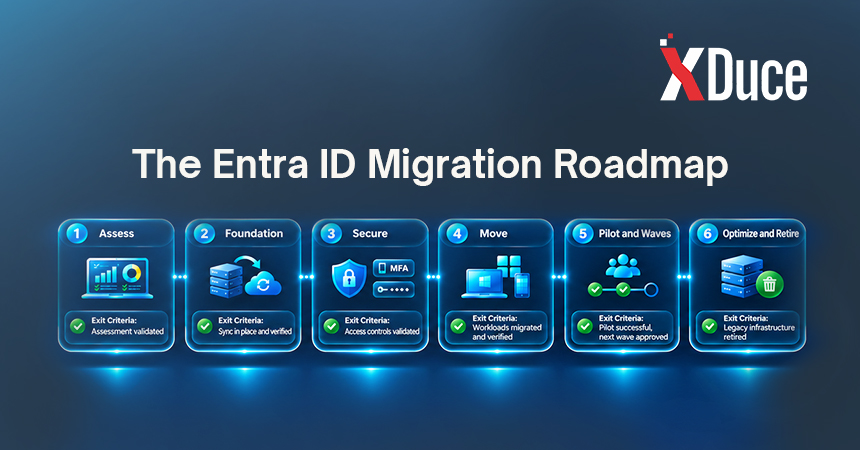
Sequencing is where strategy becomes real. This roadmap works for most hybrid first migrations.
| Phase | Focus | Exit criteria |
|---|---|---|
| 0. Assess | Inventory identities, apps, devices, and policies | Risks ranked, target state agreed |
| 1. Foundation | Clean directory, deploy sync, choose sign-in method, create emergency access | Pilot identities sync cleanly |
| 2. Secure | MFA and Conditional Access in report-only, then staged enforcement | No unexpected lockouts, exceptions documented |
| 3. Move | Applications, then devices, then Group Policy | Each in-scope app and device group verified |
| 4. Pilot and waves | IT first, then departments, with rollback plans | Waves stable for an agreed period |
| 5. Optimize and retire | Decommission AD FS, old sync servers, and unneeded domain controllers | Dependency checks signed off |
Notice that security sits before the large moves. Enforcing MFA after devices and apps have already shifted means you are fixing a moving target.
Governance, Ownership, and Communication
Strategy fails quietly without ownership. Assign a named owner for each pillar, hold a short weekly review during active phases, and keep a single decision log. Communicate with users early and often, since new sign-in prompts feel like outages when nobody warned people. Our guide to keeping employees informed during a Microsoft 365 migration includes a plan you can adapt.
Measuring Success
Choose a few measures a sponsor can read at a glance:
- Percentage of users covered by MFA
- Percentage of applications using Entra ID sign-in
- Percentage of devices Entra joined and managed in Intune
- Number of legacy components retired (AD FS, sync servers, domain controllers)
- Sign-in related help desk tickets before and after each wave
- Privileged accounts reviewed and reduced
Common Strategy Mistakes
- Setting a cloud-only goal without checking legacy dependencies
- Moving applications and devices before MFA and Conditional Access are in place
- Treating the migration as an IT project instead of a business change
- Translating every Group Policy instead of rebuilding what matters
- Retiring domain controllers and AD FS before dependency checks are complete
- Skipping the pilot because the timeline is tight
Building It Yourself or With a Partner
A clean directory, few legacy apps, and a team with prior experience make an in-house strategy realistic. Legacy applications, multiple forests, regulated data, a fixed deadline, or a stretched IT team make a partner worth the fee. Many organizations choose a co-managed model, where the partner leads design, security, and cutover while internal staff keep ownership of decisions. Our guide to in-house vs. partner-led Microsoft 365 migration services explains how to split the work, and our Microsoft 365 migration services include the identity work that makes everything else possible.
Key Takeaways
- A strategy sets the target state, the order of work, the owners, and the measures of success.
- Hybrid is a legitimate, often safest, destination. Cloud-only only fits when nothing legacy remains.
- Identity comes first, security comes before the big moves, and applications and devices follow.
- Sort applications into lanes and treat “move later” as a modernization roadmap.
- Retire legacy components only when dependency checks prove nothing needs them.
Frequently Asked Questions
It is the plan that connects your goals to the order of work across identity, applications, devices, and security. It defines the target state, the sequence, the owners, and the measures of success, so that individual tasks such as syncing, enforcing MFA, or joining devices add up to a coherent move instead of a set of disconnected projects.
Choose the state that fits your legacy dependencies. Hybrid suits most organizations and is the usual starting point. Cloud-first suits those with a growing cloud footprint and modest legacy. Cloud-only is realistic only when no Kerberos, LDAP, or Group Policy dependencies remain.
Secure sign-in first. Enforce MFA and Conditional Access, tested in report-only mode, with emergency access accounts in place. Then move applications, devices, and Group Policy in stages. Securing identity after everything has already moved leaves you fixing a moving target.
Sort them into lanes: move now, move with a bridge, move later, or stays on Active Directory. Some can use Application Proxy or Microsoft Entra Domain Services in the interim. Treat the “move later” lane as a modernization roadmap, so these apps do not keep your on-premises footprint alive indefinitely.
It depends on directory size and cleanliness, how many apps and devices are involved, and how many legacy dependencies you uncover. Syncing identities can happen quickly. Moving apps, devices, and policies takes the time. An assessment produces an honest timeline, as our Active Directory to Entra ID migration guide explains.
Related Blogs